How to Rank in Google AI Overviews in 2026: Practical SEO Checklist


Google Search now goes beyond blue links. AI Overviews answer complex queries before users click results, changing how pages gain visibility in 2026.
A strong page requires more than keywords and headings. Google must find, index, and display useful snippets. Content should answer the query in depth and provide evidence with an accurate context.
According to Google Search Central, AI Overviews and AI Mode use core Search systems. Google also names query fan-out as part of AI search behavior. That makes complete topic coverage more important than isolated keyword use.
The checklist below improves AI Overview visibility without shortcuts. It covers indexation, snippets, query fan-out, schema, internal links, and tracking. Apply it to one key page before expanding content.
What Are Google AI Overviews?
Google AI Overviews are AI-generated summaries inside Search results. They answer selected questions and may show links to supporting websites. The feature helps users compare information before opening a page.
For readers, AI Overviews reduce search effort by providing summaries and source links. For publishers, visibility depends on offering helpful supporting content.
Classic organic rankings remain important for visibility. AI Overview source placement offers an additional opportunity. A page can contribute to an answer even if it does not rank highest.
Effective AI Overview content answers the main query early and addresses related questions in depth. Strong pages include examples, tables, screenshots, or expert notes as needed.
Can You Rank Directly In Google AI Overviews?
Websites cannot guarantee AI Overview source placement. Google determines when AI Overviews appear and which pages support each response. Pages can only improve their eligibility, usefulness, and trustworthiness.
Google documentation states that supporting links need indexation and snippet eligibility. The same documentation lists no extra technical requirements for AI Overviews or AI Mode. That makes normal SEO quality essential.
Begin with page fundamentals before revising content. Check indexation, snippets, internal links, headings, schema, and visible text. Then enhance the page to address the searcher’s complete task.
Avoid hidden text, keyword stuffing, fake mentions, and shallow AI-generated pages. Google’s spam policies cover attempts to manipulate generative AI responses. Risky shortcuts can also reduce visibility in standard Search.
How Google AI Overviews Choose Sources
AI Overviews use Google Search systems to gather useful source material. AI Mode and AI Overviews may expand a query into related searches. Google calls that process query fan-out.
Query fan-out affects how content should address a topic. A page should answer the main query and related concerns. The ideal structure guides users from answer to decision.
Google Uses Its Search Index
Google must find a page before any AI feature can use it. Crawling depends on access, internal links, server response, and robots.txt rules. Indexation depends on quality, canonical signals, and Search system decisions.
Check the URL in Google Search Console before making changes. Ensure Google can access the main page content. Resolve index issues before adding new sections or schema.
Google Uses Relevant Passages
AI systems require passages that directly address user questions. A strong passage answers one concern with context and evidence, and should be understandable on its own.
For example, one passage can define snippet eligibility, while another compares AI Overview SEO with classic SEO. Each paragraph should address a specific search concern.
Google Uses Query Fan-Out
Query fan-out expands a search into related subtopics. For example, a search about AI Overview ranking may also require information on schema, snippets, content quality, and tracking. Strong pages address this set of connected questions.
Structure the article to cover the entire search journey. Include sections for definitions, processes, examples, mistakes, and measurement. This approach supports generative AI search SEO without creating thin pages.
Google AI Overview SEO Checklist For 2026
Use the checklist before drafting a new article. It starts with technical fundamentals and progresses to content quality. Each task benefits both search systems and readers.
Make The Page Crawlable And Indexable
Google requires access to display page content. Check robots rules, server errors, canonical tags, and sitemap inclusion. Then review the page in Search Console.
Ensure the main answer is in readable text. Do not hide key details in images, scripts, or locked widgets. Both search systems and readers need access to the same information.
Make The Page Eligible For Snippets
AI Overview supporting links require Search snippet eligibility. Review robots meta tags, max-snippet rules, and data-nosnippet sections. Remove snippet blocks from content that answers the main query.
Snippets allow users to preview results before clicking. Align the title, headings, and opening paragraph with the page topic. Consistent alignment can improve click quality from Search.
Answer The Main Question Early
Open with the answer users seek. State the outcome, requirement, and next step. Reserve detailed background for later sections.
For this topic, the opening should mention indexation, snippets, query fan-out, and helpful content. This helps readers quickly assess the page’s value.
Cover Query Fan-Out Questions
AI Overviews may include related subtopics when forming an answer. A narrow article can miss valuable source opportunities. Plan the page to address the complete search task.
Useful related questions include:
- What makes a page eligible for AI Overviews?
- How does query fan-out affect source visibility?
- Does schema help AI Overview placement?
- Does llms.txt help Google AI features?
- Can AI-written content appear as a source?
- How should AI Overview visibility be tracked?
Group related questions on one comprehensive page when intent matches. Avoid thin pages based on minor keyword variations. Readers should complete their task in one place.
Add Original Evidence
Generic SEO advice offers limited value in AI search. Add screenshots, tests, examples, tables, editorial notes, and audits to build reader trust.
Place evidence close to key claims. Use Search Console screenshots for tracking advice, SERP screenshots to illustrate source links, and mini audits to highlight page changes.
Build Extractable Answer Blocks
Each major section should include a clear answer block. Begin with the question, provide a plain-language answer, then add context, an example, and a next step.
Use different formats across the article. Some sections may use short paragraphs, while others use tables, checklists, or screenshots. This variety improves readability.
Add Comparison Tables
Tables help users quickly compare options and efficiently organize entities, risks, and use cases. Add tables where readers need to compare choices.
| Area | Classic SEO | AI Overview SEO | AI Mode SEO |
|---|---|---|---|
| Main aim | Organic visibility | AI answer support | Follow-up search support |
| Page role | Match search intent | Support a generated answer | Cover deeper tasks |
| Content focus | Keywords and intent | Answers and evidence | Entities and depth |
| Tracking | Query and page data | SERP notes plus Search Console | Follow-up query checks |
| Main risk | Keyword stuffing | Fake source tactics | Thin subtopic coverage |
Use Helpful Visuals
Screenshots and diagrams make AI SEO more actionable. Use annotated SERP images, Search Console screenshots, and fan-out maps. Add video only when it directly supports the task.
Provide a clear caption for every visual, naming the query, issue, or result shown. Alt text should describe the image in natural language.
Strengthen Internal Links
Internal links guide users to related content and help Google discover and connect key pages. Link from hubs, SEO articles, and related checklists.
Use anchor text that aligns with the reader’s next task. Effective anchors include AI Overview audit, query fan-out map, and Search Console tracking. Each link should support the article’s flow.
Use Schema Markup Correctly
Structured data helps describe page entities and should match visible information. Schema aids understanding but does not replace valuable content.
For this article, use Article, Person, Organization, and BreadcrumbList schema. Display author, publisher, dates, and page hierarchy in the content, and match these details in the structured data.
Update Local And E-commerce Data
Local and e-commerce pages require accurate business details. Product pages should align with Merchant Center data, and service pages should match Google Business Profile information.
Verify prices, availability, shipping, returns, reviews, hours, phone, and service areas. Incorrect details reduce trust and conversions, while accurate information helps users decide more easily.
5-Step Process To Optimize A Page For AI Overviews
Apply this process to one priority URL: select the query, review the AI Overview, map related questions, upgrade content, and track results. This approach keeps efforts evidence-based.
Step 1: Pick A Query With AI Overview Presence
Select a query where an AI Overview is present. Record the query, date, device, location, and visible sources to establish a baseline for future comparisons.
Choose a query with business value and matching search intent. The topic should align with the page and target audience. Avoid weak matches that waste editing time.
Step 2: Review Existing Sources
Review the pages linked in the AI Overview. Note page type, author details, update date, depth, examples, and visuals. Identify common strengths among cited pages.
Identify any missing user concerns, such as price, process, risk, tracking, or comparison. Adding a strong new section can enhance the entire page.
Step 3: Build A Query Fan-Out Map
Place the main query at the center and add branches for definitions, snippets, schema, examples, mistakes, and tracking. Each branch should become a dedicated section.
Map related entities as well. For this topic, include AI Overviews, AI Mode, Search Console, snippets, schema, and Googlebot. Covering these entities ensures comprehensive topic coverage.
Step 4: Upgrade The Page
Revise the title, introduction, and first answer block. Add missing sections, improve headings, include internal links, schema, and visual examples. Remove redundant lines and thin sections.
Review the page from a user’s perspective. Does the article answer the question without requiring further research? Are the examples, sources, and next steps trustworthy?
Step 5: Monitor Search Console Data
Search Console tracks queries, impressions, clicks, and position for Google Search. Review these reports after each major content update and supplement the data with manual SERP notes.re and after the edit. Watch impression growth, CTR changes, and page movement. Add notes when the AI Overview source lists change.
AI Overview Content Template
Apply this structure when creating a new article or refreshing an existing page.
- H1: Use the main query with 1 strong entity.
- Opening answer: Answer the query in 50 to 80 words.
- Definition section: Name the feature, topic, or process.
- How it works: Cover eligibility, retrieval, and query fan-out.
- Checklist: Add steps readers can complete.
- Evidence section: Add screenshots, tables, examples, or tests.
- Common Mistakes: Warn against risky publishing patterns.
- CTA section: Offer an audit, checklist, or consultation.
This template enhances structure without making the page rigid. It progresses from answer to context to action and supports Google AI Overview optimization without keyword stuffing.
Common Mistakes That Hurt AI Overview Visibility
Most weak pages fail due to access issues, thin content, or low source value. Address these problems before pursuing advanced tactics.
Creating Thin AI-Generated Pages
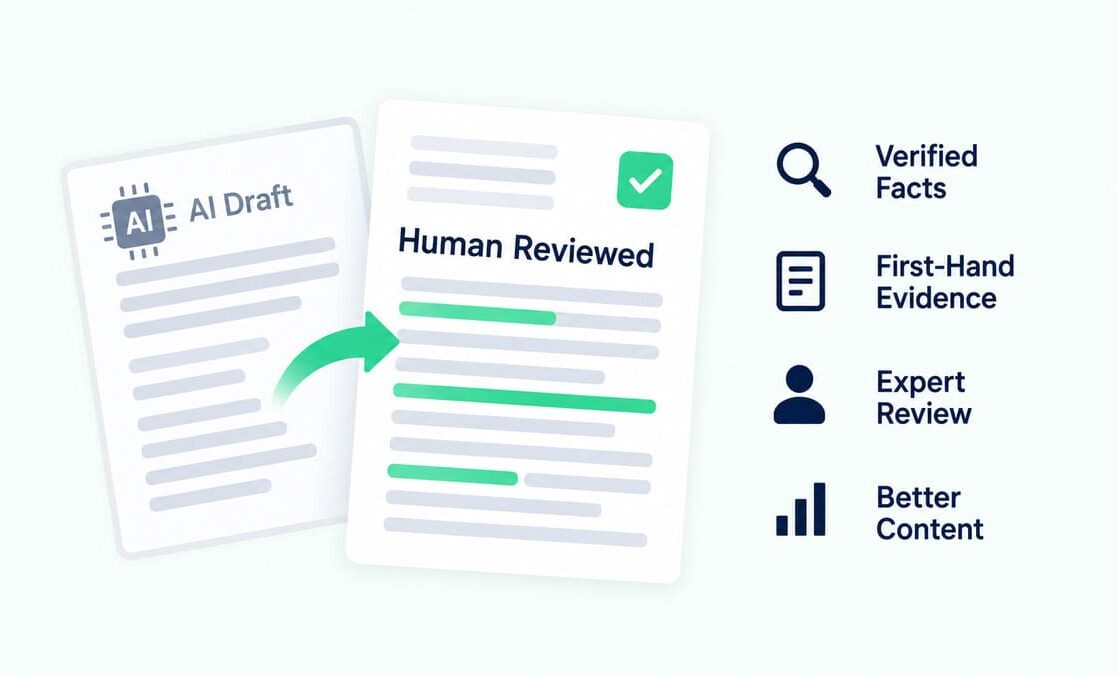
AI can assist with research and drafting, but should not replace expert review, examples, or original value. Low-value, mass-produced pages pose search-quality risks.
Include human editing, relevant examples, and page-specific analysis. Remove redundant sections and shallow keyword variants. Each page should enable readers to complete their search task.
Chasing llms.txt As A Google Shortcut
Google AI Search does not require a special AI text file or unique schema for AI Overviews or AI Mode. Focus on accessible pages and valuable content.
llms.txt may be useful for other AI systems, but for Google AI Overviews, strong page content is more important.
Overusing Keywords
Keyword stuffing reduces readability and makes content sound forced. Use the primary keyword only where it improves the sentence.
Support the main phrase with related terms such as snippet eligibility, source links, query fan-out, Search Console, schema, and internal links. This approach builds natural semantic depth.
Adding Schema Without Visible Content
Schema should reflect visible content. Display author, publisher, date, and page details in the article, and mark up the same information.
Avoid hidden claims in markup. Search systems and readers should receive consistent information. Mismatched schema can undermine trust.
Trying To Manipulate AI Responses
Risky tactics harm Search visibility. Spam policies address hidden text, keyword stuffing, cloaking, automated traffic, and AI response manipulation. Avoid fake mentions and artificial source signals.
Create pages with genuine value. Include verifiable examples and ensure claims are accurate, useful, and relevant to the topic.
How To Track AI Overview SEO Performance
Track AI Overview progress using Search Console, SERP notes, analytics, and conversion data. AI feature traffic is included in overall Search traffic under the Web search type. Manual notes provide additional context.
Use Search Console to monitor query and page movement. Review clicks, impressions, CTR, and position, and connect these metrics to leads, calls, demos, or sales.
- Query movement: Track impressions, CTR, and position for target terms.
- URL movement: Compare the target page across date ranges.
- SERP notes: Save screenshots with query, date, device, and location.
- Source checks: Record visible AI Overview sources for each query.
- Conversion review: Measure leads, calls, demos, sales, and signups.
- Editorial log: Record title edits, answer blocks, schema, and links.
Never trust on a single metric. A page may gain impressions before clicks increase. Effective updates should improve both search value and business outcomes.
Final AI Overview SEO Checklist
Use this audit before publishing or refreshing a page.
- Crawl access: Googlebot can reach the target URL.
- Index status: The canonical page can appear in Search.
- Snippet access: Important sections allow useful snippets.
- Opening answer: The first 100 words answer the main query.
- Fan-out depth: Related questions have useful sections.
- Original evidence: The page includes screenshots, data, examples, or audits.
- Entity coverage: Core entities appear across headings and body copy.
- Author trust: Author, publisher, and review details appear on the page.
- Internal links: Related pages link to the target URL naturally.
- Schema accuracy: Structured data matches visible page content.
- Visual support: Images or videos include captions and context.
- Local data: Business details match service pages.
- Product data: Merchant Center details match product pages.
- Policy safety: The page avoids spam patterns and fake source signals.
- Measurement: Search Console and analytics track page movement.
A final review should prioritize the reader. The best pages answer the query, provide supporting evidence, and are easy to verify.
Conclusion
AI Overview visibility begins with access, useful answers, and trustworthy details. A page should help readers complete their search task efficiently. Start with one priority URL. Check indexation, snippets, query fan-out, schema, internal links, and tracking. This process builds a stronger foundation for ranking in Google AI Overviews.
FAQs About Ranking In Google AI Overviews
How To Rank In Google AI Overviews?
To rank in Google AI Overviews, ensure search access and provide valuable content. Build an indexed, snippet-eligible page with direct answers and strong examples. Cover related subtopics, add internal links, use accurate schema, and track results.
Is AI Overview SEO Different From Classic SEO?
AI Overview SEO builds on classic SEO, which targets organic results. It also emphasizes answer blocks, evidence, related questions, and source value.
Does Schema Help AI Overviews?
Schema helps describe page entities and can support rich result eligibility. AI Overviews do not require special schema markup. Use schema only when supported by visible content. Recommended types include Article, Person, Organization, and BreadcrumbList. Ensure markup is accurate and useful.
Do You Need the llms.txt File for Google AI Overviews?
Google AI Overviews do not require a special AI text file. Focus on crawlable HTML, visible text, snippet access, helpful content, and internal links. llms.txt may be useful for other AI tools but should never replace strong page content for Google Search.
Can AI-Written Content Appear In AI Overviews?
AI-assisted content is effective when combined with human expertise and useful examples. Pages must still provide accuracy, originality, and value for readers. Avoid mass-produced content with minimal changes. Include human review, fresh examples, and topic-specific evidence. Quality is more important than the tool used.
How Should AI Overview Visibility Be Tracked?
Track visibility using Search Console, manual SERP checks, analytics, and conversion data. Record the query, URL, date, device, location, visible sources, and edits. Compare search performance with business outcomes. Improved visibility should lead to more leads, calls, sales, or user actions.
Resources
- https://search.google/intl/en-IN/ways-to-search/ai-overviews/
- https://developers.google.com/search/docs/appearance/ai-features
- https://developers.google.com/search/docs/fundamentals/ai-optimization-guide
- https://developers.google.com/search/docs/essentials/spam-policies
- https://search.google.com/search-console/about
- https://developers.google.com/search/docs/crawling-indexing/googlebot
- https://developers.google.com/search/docs/appearance/structured-data/intro-structured-data
- https://developers.google.com/search/docs/appearance/structured-data/search-gallery
- https://support.google.com/merchants/answer/188494
- https://support.google.com/business/answer/3038177
- https://support.google.com/webmasters/answer/7042828